

Hi, I’m Ifytext Chibuzor. I'm an electrician. I have spent over 4 years working with prepaid meters, solar setups, and inverters. I started PowerPek to share real-life solutions to the everyday power issues many of us face with our prepaid meters — from token errors to meter tampering warnings and many others.
Hi, I’m Ifytext Chibuzor. I'm an electrician. I have spent over 4 years working with prepaid meters, solar setups, and inverters. I started PowerPek to share real-life solutions to the everyday power issues many of us face with our prepaid meters — from token errors to meter tampering warnings and many others.
Checking prepaid meter payment history is quite simple since there are different methods that can be used to check it, ranging from using your disco’s online portal, mobile apps, or designated number to contacting your electricity provider’s support.
There are lots of benefits that you can get from checking your meter’s payment history, such as gaining insight into your energy consumption habits and tracking your expenses with ease, among others. In this guide, we are going to show you a simplified approach that you can use to check your prepaid meter payment history.
Read also: 6 ways to efficiently use prepaid meter in Nigeria
🚀 Join Our Crypto Airdrop Channel! 💰
Stay updated on the latest free airdrops and earn free crypto effortlessly. Don’t miss out!
🔗 Join Now on TelegramWhy it is Important to Check Prepaid Meter Payment History
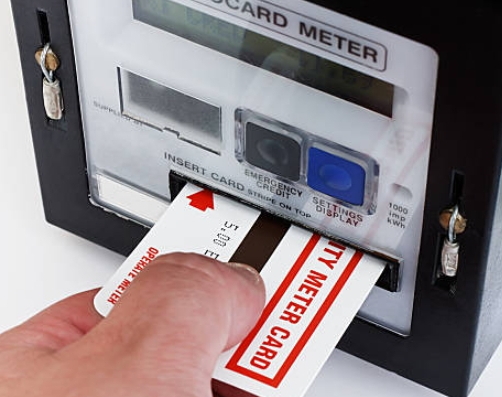
Checking your prepaid meter payment history has the following advantages:
- It helps you track your energy consumption and expenses.
- It gives details of updated balance in your account
- Checking the payment history will also help you identify your electricity usage pattern.
- It also shows payment frequency.
Details in the Prepaid Meter Payment History
Some of the transactional details that you can see in your prepaid meter payment history include:
- Date and time of each transaction.
- Amount paid.
- Payment method used (e.g., credit/debit card, online banking, voucher code, etc.)
Recommended: How to upgrade a Prepaid Meter
Different Methods of Checking Prepaid Meter Payment History
There are four different methods that can be used to check the prepaid meter payment history. We shall be taking them one after the other:
1. Online Portal
This is one of the methods that can be used to check the prepaid meter payment history. This is possible since electricity distribution companies have different online portals. So, by visiting your disco’s official website, you can view your prepaid meter payment history. To check your prepaid meter’s payment history via the online portal, follow the guide below
- Create an account on your disco’s official website
- After creating an account, login with your details
- Once you’re logged in, go to the payment history section to view detailed records of your prepaid meter transactions. And that’s all.
2. Mobile Apps
Another method that you can use to check your prepaid meter payment history is via your electricity provider’s mobile app. If your disco has an app, you can use it to check your payment history. With this app, you can perform different functions, like checking payment history, making payments, and monitoring your energy consumption in real-time. To use this method, follow the steps below:
- Download your disco’s mobile app from the App Store or Google Play Store, depending on your device.
- Sign in using your details.
- Once you log-in, go to your prepaid meter payment history section to see your transaction details. .
3. SMS or USSD Service
If you prefer a more straightforward method, then you can use your disco’s USSD code or designated number to check your payment history. To use this method, follow these simple steps:
- Use your phone number to text to your disco’s designated number or USSD requesting your prepaid meter payment history.
- Follow the prompts from your electricity provider.
- If you follow the prompt carefully, you’re going to get a message from your disco containing your payment history.
4. Disco’s Customer Care Unit
The last method on our list that you can use to check your prepaid meter payment history is by contacting your disco’s customer care unit. You can do this by calling your electricity provider’s hotline and requesting your payment history. However, to use this method, you’ll need to have your account details or meter number handy for verification.
Conclusion
From our discussion so far, you have seen that there are numerous ways you can use to check your prepaid meter payment history, ranging from using the online portal, mobile app, SMS service, among others. These methods are quite simple to use.


Hi, I’m Ifytext Chibuzor. I'm an electrician. I have spent over 4 years working with prepaid meters, solar setups, and inverters. I started PowerPek to share real-life solutions to the everyday power issues many of us face with our prepaid meters — from token errors to meter tampering warnings and many others.
 JOIN OUR TELEGRAM CHANNEL
  JOIN OUR WHATSAPP CHANNEL


